See your day clearly.
Bring your commitments and free time into one view. Know what’s ahead before adding more.
 cyrena
A LITTLE MORE IN SYNC
Your calendar, your check-ins, your time to focus.
A cycle-aware planner that brings them together.
For iPhone · Beta coming soon
 Your day, in perspective.
MORE THAN A FULL CALENDAR
Make space for what you need, alongside what you need to do.
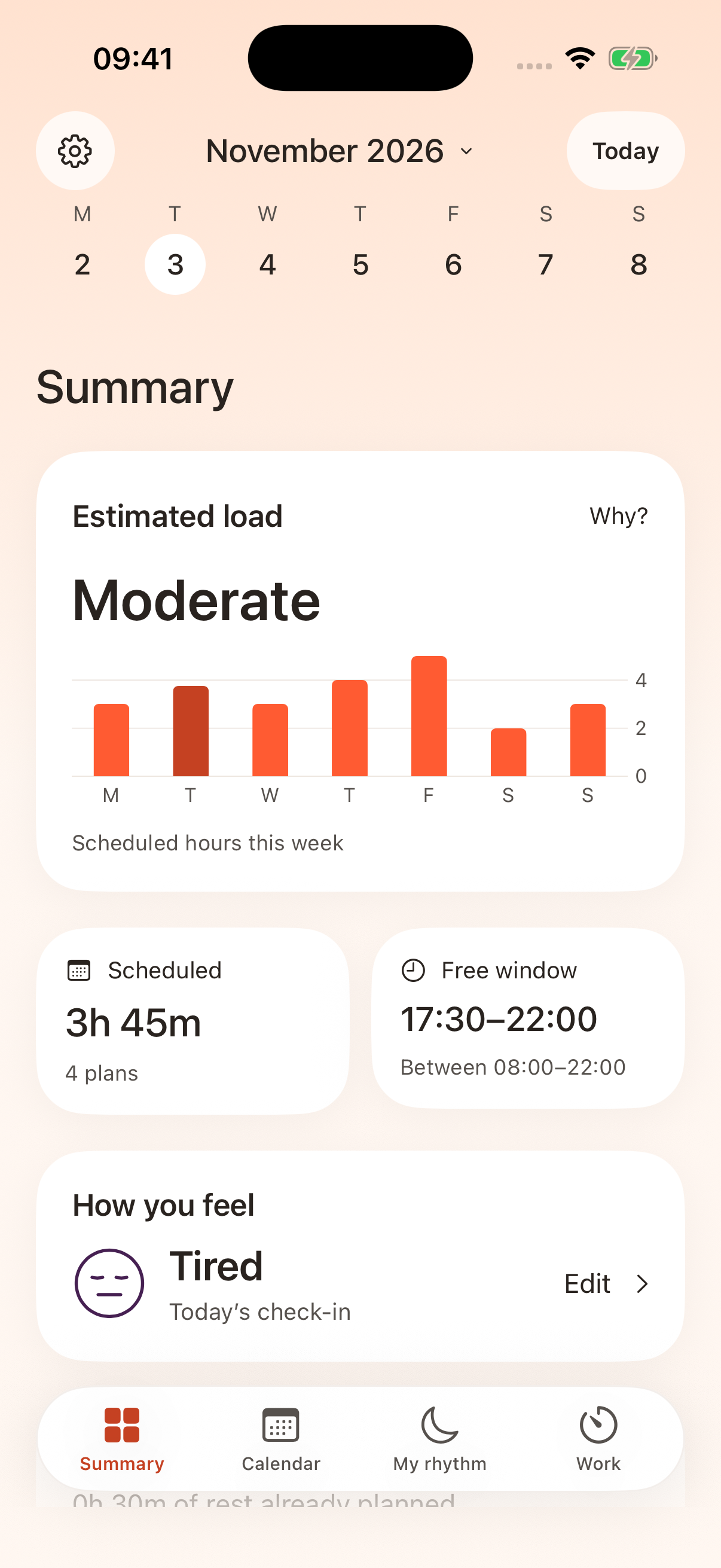
Bring your commitments and free time into one view. Know what’s ahead before adding more.
A quick check-in gives your schedule more context. Some days need a different pace.
Review suggested changes and decide what works for you. Make room for rest on your own terms.
HOW IT FITS INTO YOUR DAY
Open Summary to see your schedule load and free time. Add how you feel, and take a moment to decide what your day needs.
See connected Apple and Google calendars together. Review your commitments, spot overlaps and choose a space for rest.
Choose your focus and break lengths, start a session and review the work you completed. The timer keeps its own rhythm.
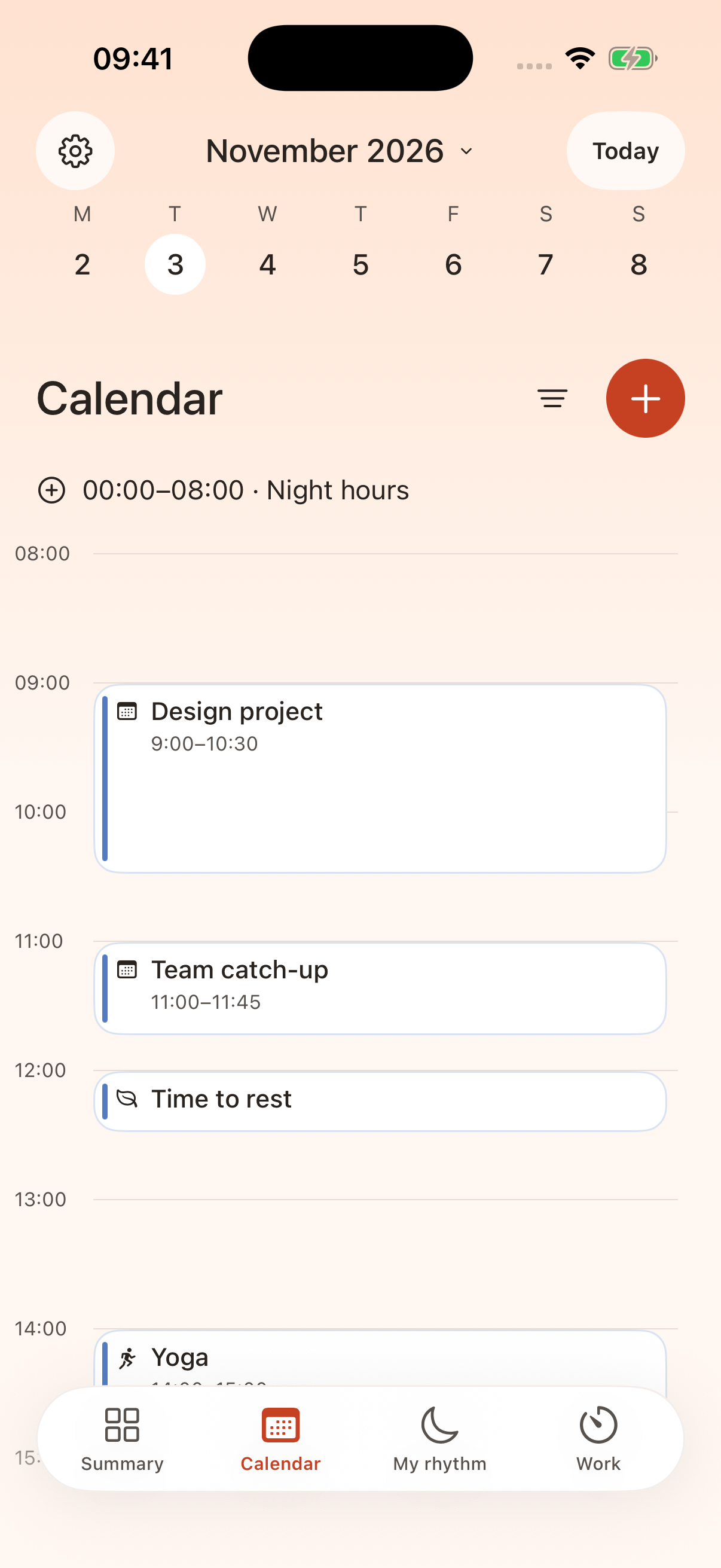
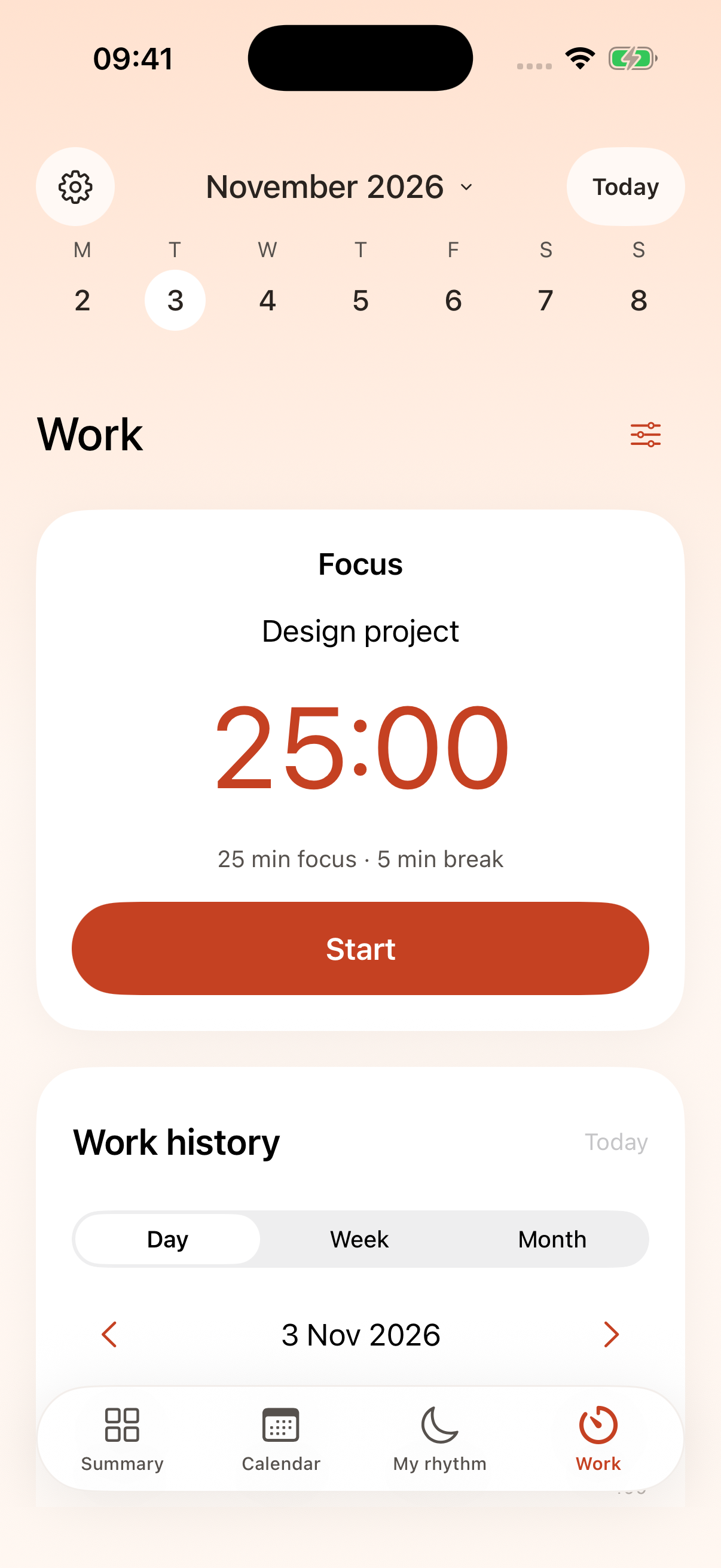
Actual Cyrena screens · example data
A PLAN IS ALLOWED TO CHANGE.
Some days ask for more.
Some ask for less.
You get to decide.
THE DETAILS THAT MAKE A DIFFERENCE
From a busy morning to a quieter evening.
Keep the context that matters to you.
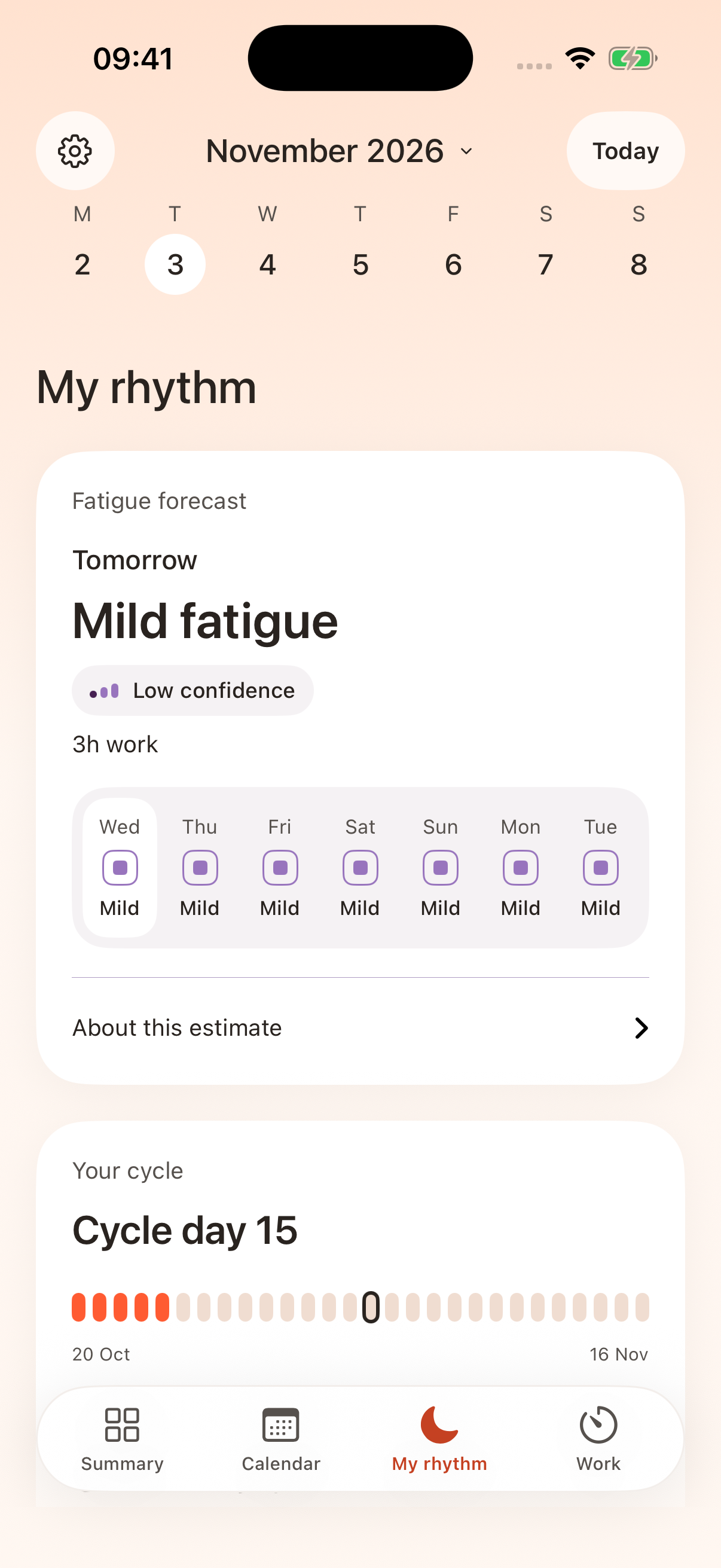
MY RHYTHM
Your energy has context. Look back at fatigue check-ins and cycle history, with personal estimates when enough suitable history is available.
LESS SWITCHING BETWEEN APPS
Bring Apple Calendar and Google Calendar together. You choose which calendars to see.
A LITTLE SPACE TO FOCUS
Set your focus and break lengths. Start a session, take a pause and see what you’ve finished.
Your time. Your pace.PERSONAL MEANS PERSONAL
You choose what to connect
and what to share.
Apple Health is optional. Health-based observations and work history are processed and stored on your iPhone. Usage analytics starts only if you choose to share it.
Read the Privacy PolicyCycle dates and fatigue outlooks are estimates. They don’t tell you how you will feel. Cyrena supports planning and does not provide medical advice.
A FEW THINGS TO KNOW
The iPhone beta is coming soon. Public access is not available yet. This page will be updated when joining is possible.
All features will be free during beta testing. Free access applies to the beta testing period.
Cyrena supports Apple Calendar and Google Calendar. You choose which calendars to display and which writable calendar to use for new events or focus sessions.
No. Health features are optional. You decide which permissions to grant. Cycle and fatigue estimates depend on the history available to the app.
You review suggested changes and choose what to apply. Connecting a calendar does not give Cyrena permission to rearrange your day without that choice.
YOUR DAY, WITH A LITTLE MORE ROOM.
Your schedule, check-ins and focused work.
Together in Cyrena.